A brighter smile in every photo
Teeth Whitener finds your teeth automatically and whitens them in one tap. Set the whiteness and brightness so the result looks natural, then add a smile, plump your lips or try on lipstick. It takes seconds, and your selfie, headshot or group photo is ready to share.


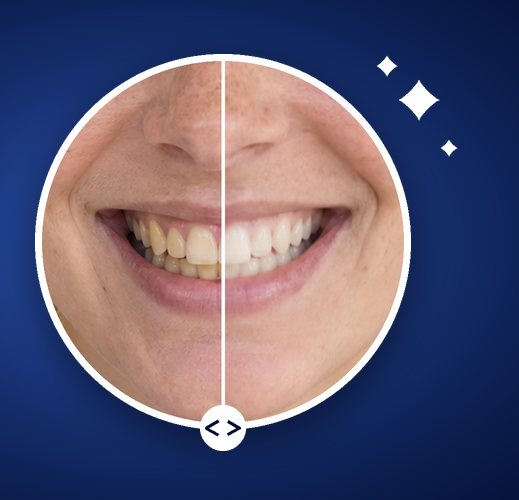
- Automatic teeth detection, or select by hand
- Adjustable whiteness that doesn’t look fake
- Free to try on iPhone, iPad and Android
Everything for your smile
Whiter teeth in seconds, plus tools for lips and the whole photo.
Auto teeth detection
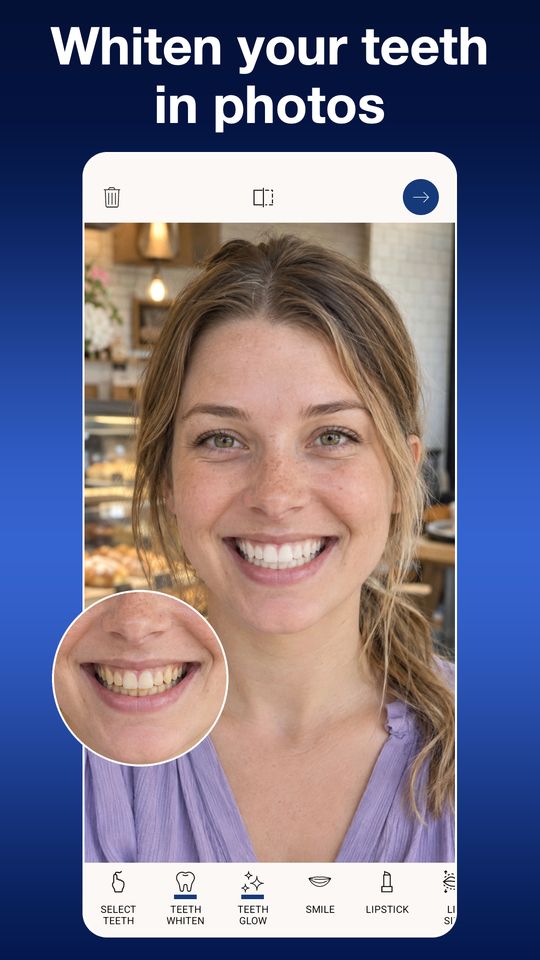
AI finds the teeth in your selfie or photo. Prefer full control? Select the area yourself.
Teeth whitening
Remove stains, yellowing and discoloration in the photo, and set the intensity for a natural white.
Teeth glow
Add brightness for a healthy, radiant smile in every picture.
Smile adjuster
Lift the corners of the mouth for a warmer, more confident smile. Your teeth stay natural.
Lip plumper
Plump or slim your upper and lower lips separately for the shape you want.
Lipstick colors
AI lip detection lets you try on lipstick shades in one tap.
AI object remover
Erase cold sores, blemishes or unwanted objects from the photo (on supported devices).
Filters and background blur
Brighten and color-correct your photo, and blur the background so your smile stands out.
See it in action
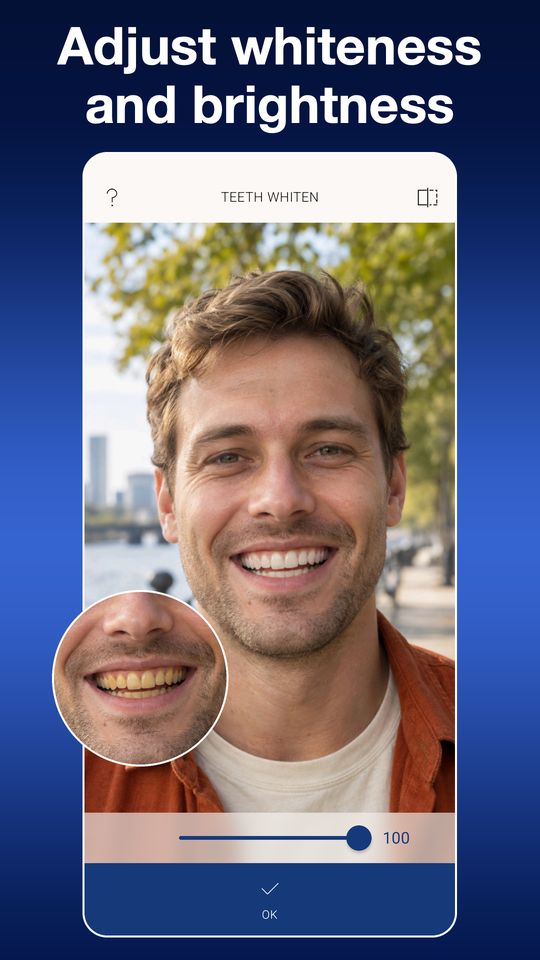
Real app screens. The circle shows the smile before the edit.
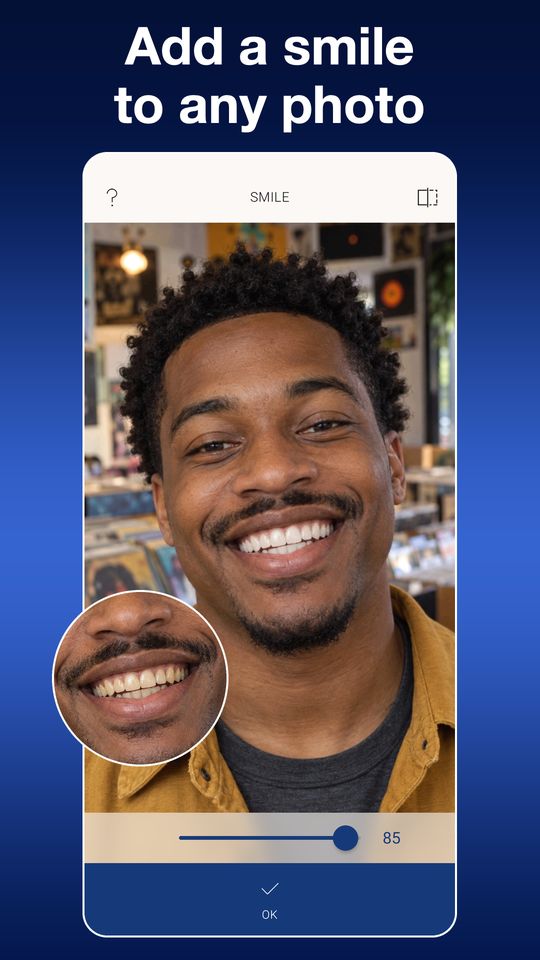
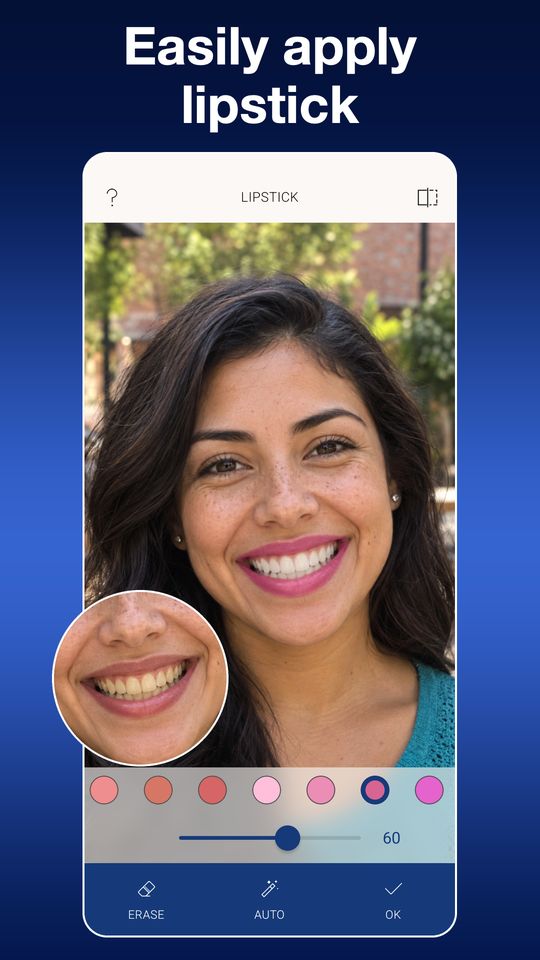
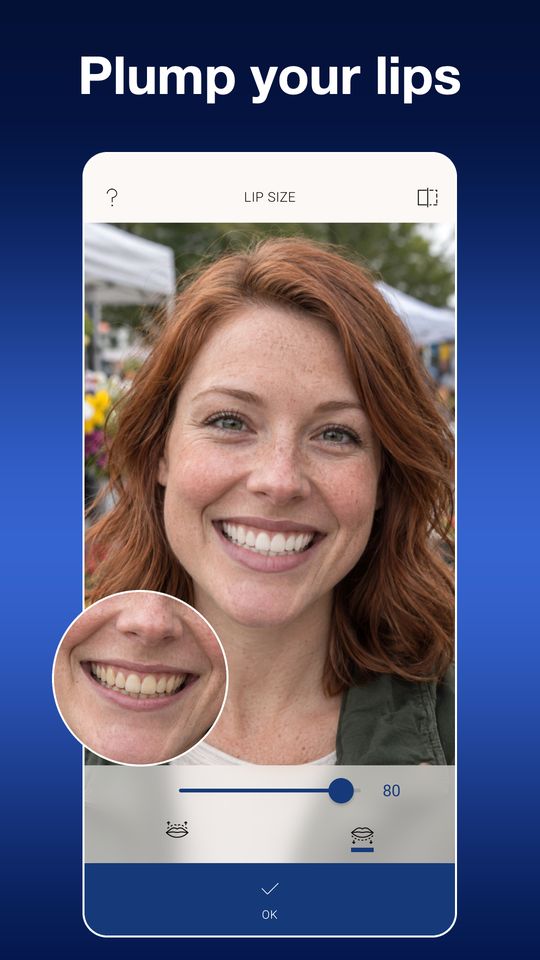
How it works
Open a photo
Pick a selfie, portrait or group shot from your camera roll.
Find the teeth
Tap Auto and the AI selects the teeth, or brush over them yourself.
Set the shade and save
Adjust whiteness and brightness until it looks natural, then save or share.
Made for
- Selfies and portrait photos
- Profile pictures for LinkedIn, resumes and dating apps
- Wedding, family and group photos where every smile matters
- Posts for Instagram and TikTok
Free to try
Download Teeth Whitener free and try it on your own photos. Upgrade to Premium for unlimited access to every editing tool and AI feature. Prices are shown in the app before you buy.
You set the whiteness and brightness separately, so you can stop at a shade that still looks like your own smile.
Questions
Will my teeth look fake?
Not if you keep it subtle. You control whiteness and brightness separately, and the edit only touches your teeth, so lips and skin stay as they were.
Does it work on group photos?
Yes. Auto detection handles selfies and portraits, and you can select teeth by hand on any photo, including group shots.
Does Teeth Whitener whiten my real teeth?
No. Teeth Whitener edits photos only. It isn’t a dental product.
Which phones does it work on?
iPhone and iPad with iOS 18.6 or later, and Android phones through Google Play.
Is Teeth Whitener free?
It’s free to download and try. Premium unlocks unlimited access to every tool. You can manage or cancel a subscription at any time in your App Store or Google Play account.
I need help with a purchase.
Our Support page explains how to restore purchases, manage a subscription and request a refund. You can also email support@innovativeswsolutions.com.
Get Teeth Whitener
Free on the App Store and Google Play.